Start a Dragonkind not working check
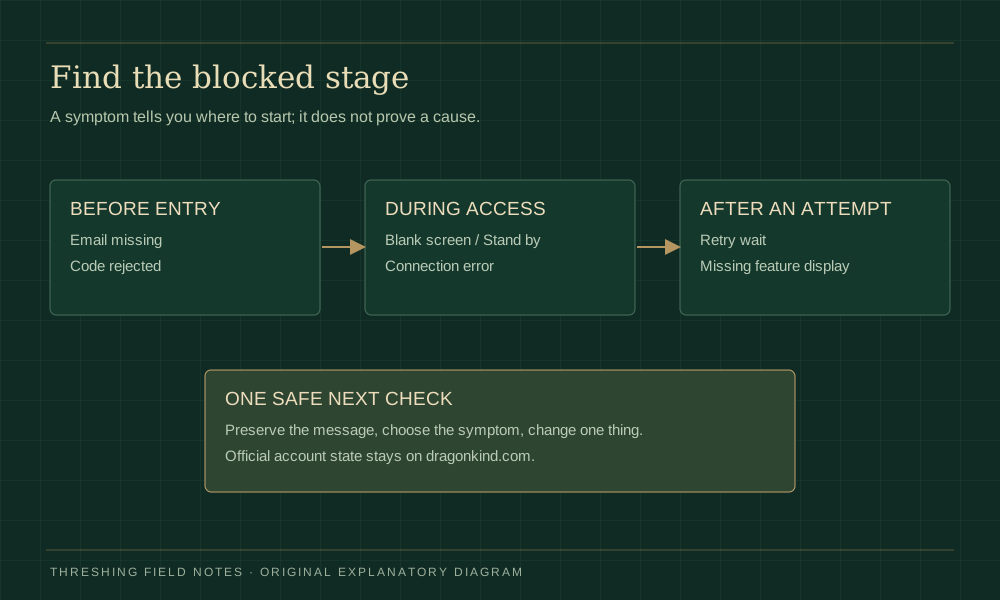
Match the symptom before changing a setting. The chooser below gives an ordered checklist and a note you can review, copy and share only if you decide to. Nothing is submitted to the official game or to this guide.
What is blocking you?
This form runs locally and sends nothing. Redaction catches common secrets but cannot detect every personal detail; review the result yourself.Before trying a fix
First confirm that you mean Rebecca Yarros’s browser experience at dragonkind.com. Dragonkind names also appear in unrelated games, mods and spells. Advice for those products cannot diagnose Dragonkind not working here. Keep the original game tab open while reading; preserve a result card or important visible message privately if you already have one.
Write down the stage where access stopped: before the email request, after receiving a message, while loading a page, or after a story attempt. A delayed message and a completed attempt with a cooldown require different actions. Make one reversible comparison at a time, so you can tell which change helped. Do not begin by clearing every browser’s data or creating a second account.
Dragonkind not working: no code in your inbox
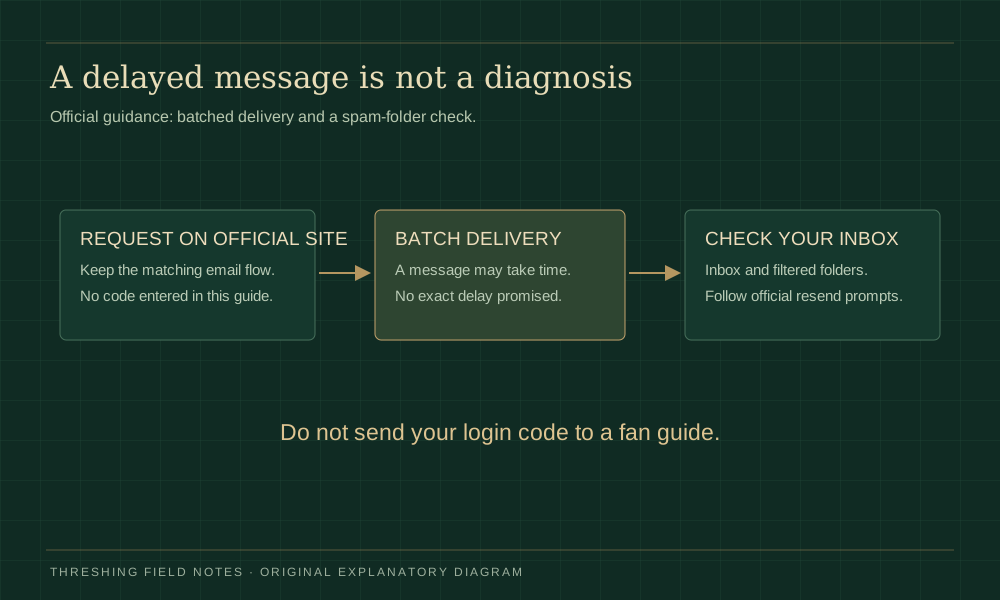
For Dragonkind not working at the email stage, the strongest published help is the author’s FAQ. It explains that login messages are batched and recommends checking spam. An empty inbox immediately after requesting a code therefore does not establish an outage or a rejected registration.
Check that the address on the official screen belongs to the inbox you are viewing. Look in spam, filtered folders and any mailbox categories you normally use. Searching for the game name can help locate a message hidden among other mail. If you use forwarding, compare the original inbox when you can; delivery to one mailbox and forwarding to another are separate steps.
Allow for the published batch delay and follow the current official resend prompt if one appears. We cannot promise a number of minutes, and repeated requests are not a verified way to speed delivery. If multiple messages arrive later, keep the matching request context and use the live site’s instructions rather than an invented expiry rule.
A code arrives but will not work
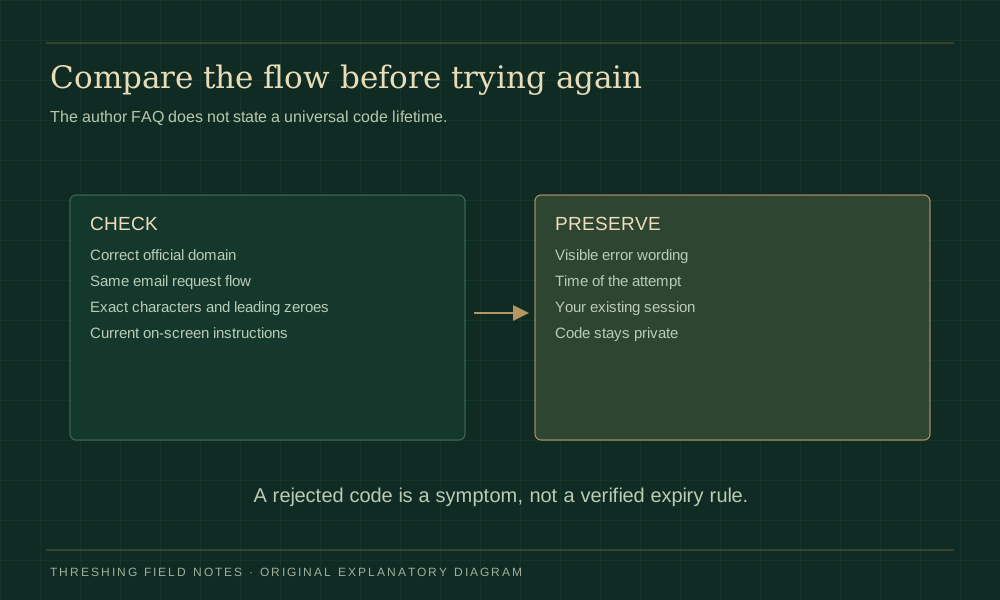
Dragonkind not working after a code arrives is a different symptom from missing mail. Confirm the official domain and the email flow you are continuing. Enter only the characters requested by that screen, avoid extra spaces, and keep leading zeroes. Do not paste an entire message or a sign-in URL into a field expecting a short code.
If you switched tabs, browsers or email addresses between requesting and entering a message, note that change. It may help explain a session mismatch, but this guide cannot confirm the cause. The official FAQ we checked does not define a universal code lifetime or guarantee that the newest message always supersedes every earlier one.
Use the current screen’s instructions if it offers a new request. Preserve the exact rejection wording and the time you observed it. Asking a public group to inspect your raw code is unnecessary: the symptom and error label are normally enough to describe the problem without revealing access information.
Blank page, frozen button or connection error
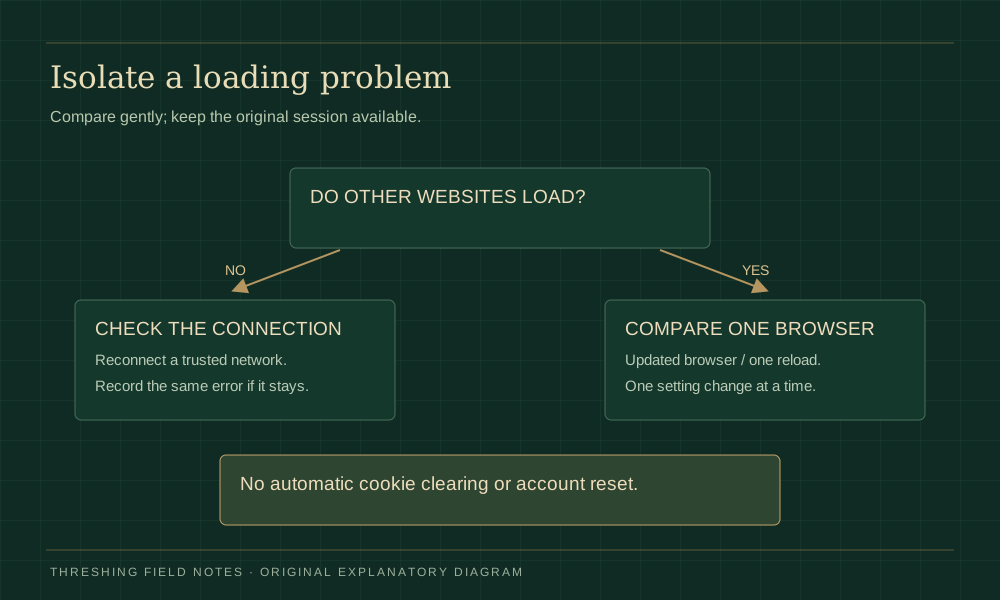
For Dragonkind not working with a white screen, a frozen welcome button or “Stand by,” start with observation. Does the page finish loading? Is the button visibly unavailable? Does the browser show a network error? Older launch discussions include these symptoms, but a historical report cannot tell us that the same problem is happening now.
Check whether another ordinary website loads on the same device. If several sites fail, address your normal connection first. If only the official game fails, a cautious comparison in an updated browser can separate a local browser symptom from a broader path problem. Keep your original session available; a new browser may ask you to sign in again and will not necessarily carry your progress.
Try one normal reload only when you have preserved anything important. If an extension appears involved, test a single site-specific setting you understand, then restore it if there is no improvement. The official privacy text says some features rely on cookies, so blocking every cookie can itself prevent a feature from functioning. That does not mean you should disable all browser protections.
An HTTP2 or connection label is useful evidence, not a complete root-cause diagnosis. Keep the error name, browser and observation time. Avoid repair downloads, forced account resets or security-setting changes suggested by an unverified stranger. This Dragonkind not working page does not have a live service-status feed.
Make a useful Dragonkind not working report
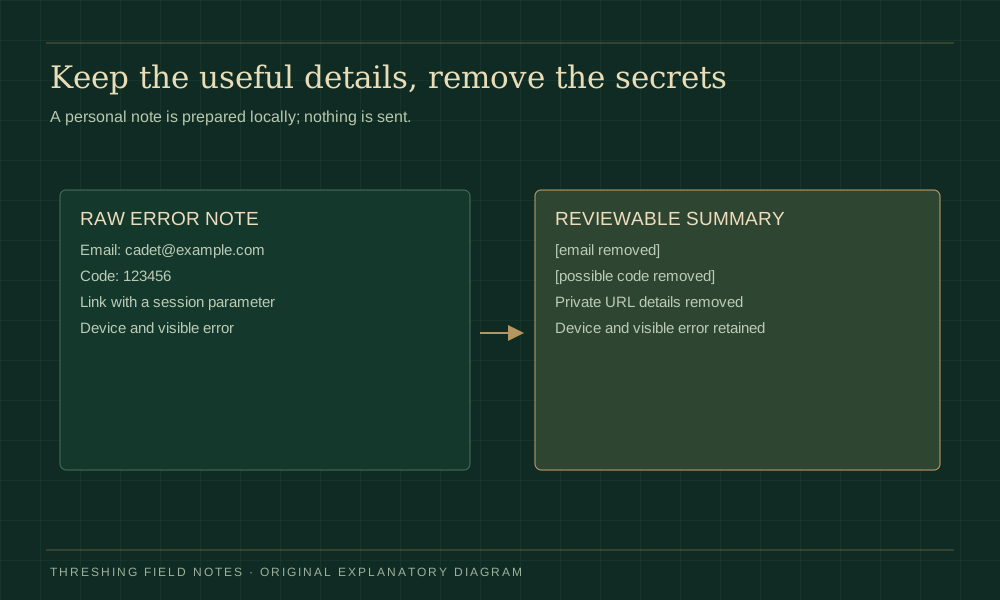
The local note tool adds the selected symptom, your optional device and visible error, the observation time and the next check. It removes common email patterns, possible numeric codes, credential labels and private URL details. A browser error name such as HTTP2 can remain useful while an account-bearing link does not.
For Dragonkind not working reports, describe what happened rather than claiming that the server has crashed. “The entry page stayed blank in Safari at this time; another site loaded” is more useful than a guessed diagnosis. Review the prepared note, remove any remaining personal details, and copy it only when you are ready.
Use a help route currently identified by the official website or author. Our contact page supports this independent guide and its tools; it is not official account support. The note is not sent automatically, and generating it does not create a ticket, contact the author or disclose your account to a third party.
A countdown is not always a fault
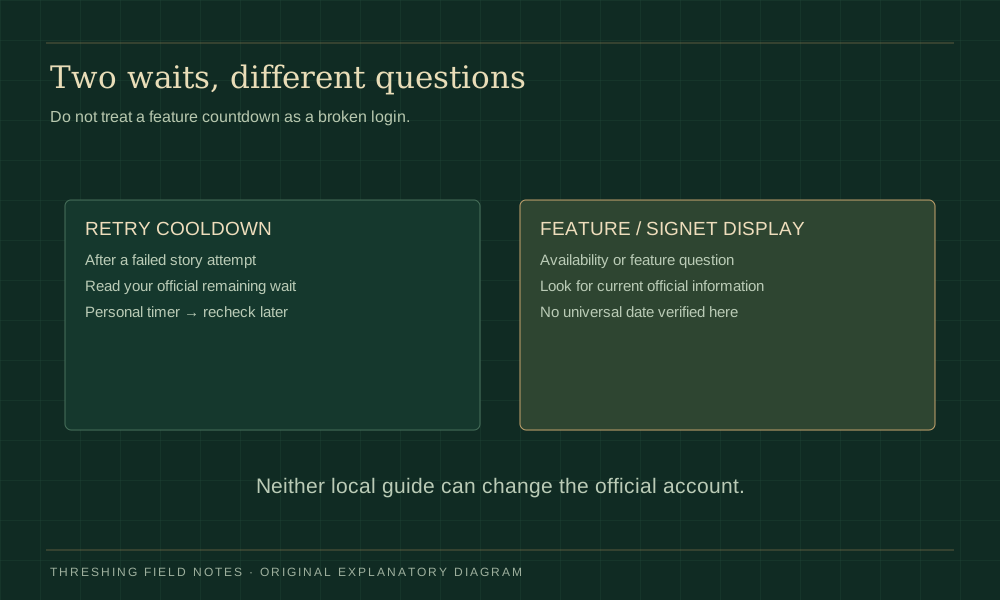
If Dragonkind not working means you died during Threshing and cannot start another attempt yet, read the official waiting screen. The author allows further attempts after several hours, continuing until a bond. A personal reminder on our Dragonkind retry timer page helps you return later; it cannot shorten that wait.
A long signet-related display is a separate question about a feature, not necessarily an email or loading failure. Read the signet countdown evidence guide before treating a community date as a guaranteed unlock. We have not inspected every logged-in account view or verified a universal release instant.
Once access works again, use the scene-based Threshing answers for story choices, or return to the official-game entry guide. Story failure, access failure and an unavailable future feature each need their own next step.
Dragonkind not working: common questions
Is Dragonkind down right now?
This guide cannot confirm that. A single failed browser session and an old community report do not establish a current outage. Check current official notices and compare what your own screen shows; the chooser does not perform a server-status check.
Should I clear every cookie and browser cache?
Do not start with a broad deletion. It can remove useful sessions and unrelated site data. Preserve your visible state, compare one safe change at a time, and use official instructions for account-specific recovery. This tool never clears browser data.
Can this Dragonkind not working tool recover my result?
No. It provides a local checklist and redacted problem note. It has no access to official progress, bonds, login mail or account records. A previously saved card may help describe what you saw, but restoration must come through the official service.
What if the local chooser cannot copy my note?
The prepared text remains in the note box. If clipboard access is unavailable, the tool selects it for manual copying. Your browser may restrict clipboard access; the checklist and readable guidance still work. JavaScript must be enabled for the interactive chooser.
Does Dragonkind not working mean my choices were wrong?
Not by itself. A webpage loading fault or code rejection happens in a different part of the experience from a failed story attempt. Identify the blocked stage first. Only after normal access is restored should you compare community reports about story choices.