Set your Dragonkind retry timer
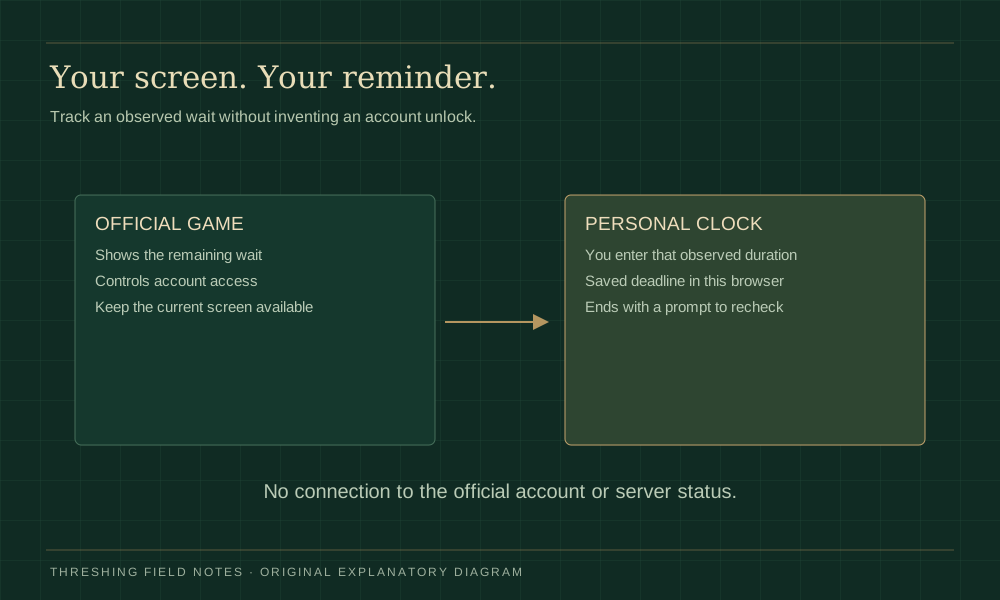
Read your own official waiting screen before entering a value. Use the remaining hours, minutes and seconds, or choose a local return time. The saved result is a personal deadline you can revise or delete; it is never an official eligibility check.
Set a personal check-back time
Personal time remaining · hours / minutes / seconds
No personal deadline set.
Enter the wait actually shown by the official game.
The end time can persist in this browser if local storage is available. This tab gives no background alarm and does not request notification permission.Recheck the official gameWhat this personal timer can do
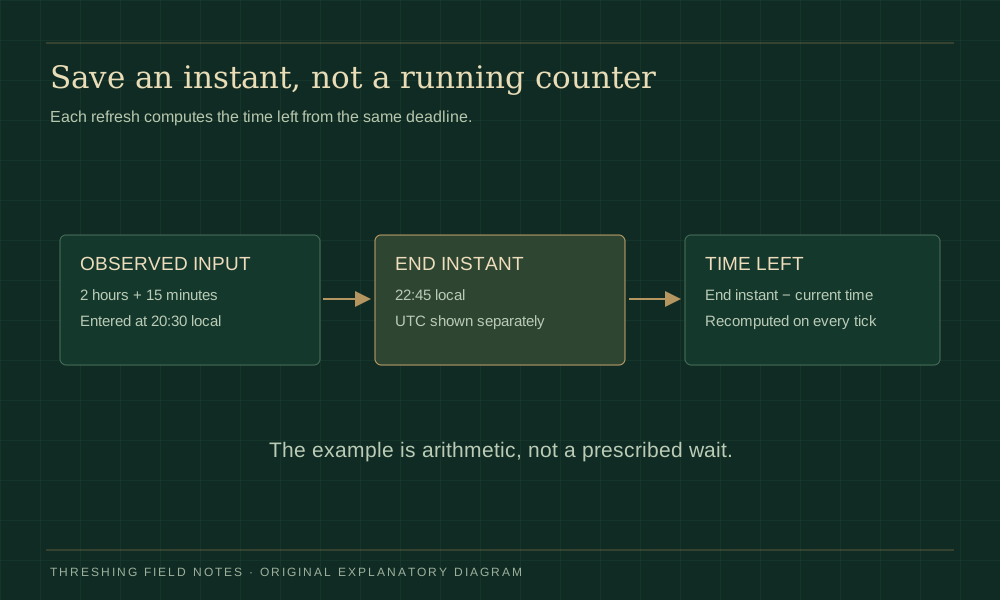
The Dragonkind retry timer answers a small practical question: when should I return to check the official screen? It shows remaining hours, minutes and seconds, an absolute end date in your local timezone and the same instant in UTC. The date prevents confusion when a late-night attempt crosses into tomorrow.
The clock saves an end timestamp rather than counting down a stored number every second. When you reload or come back after device sleep, it compares the saved deadline with the current device time. A delayed browser tick therefore does not start the entire wait again. If browser storage is unavailable, the current tab can still run a reminder and clearly tells you that persistence is unavailable.
Official waiting advice and community estimates
The author’s Dragonkind FAQ says a failed Threshing attempt can be followed by another try after several hours. It also allows continued attempts until a dragon bond. Those statements explain why a waiting screen can be normal; they do not define a precise duration for every account.
Community reports commonly discuss a four-hour wait. That is a reported observation, not a universal value verified here. The Dragonkind retry timer deliberately starts empty so that someone with a different screen is not silently given the wrong return time. If your display is ambiguous, use its labels and official instructions rather than guessing whether “4:00” means hours or minutes.
Enter a duration or an absolute return time
To set the Dragonkind retry timer from the official screen, choose “remaining duration” and copy the displayed hours, minutes and seconds into the separate fields. Empty components count as zero, but the total must be positive. Minutes and seconds accept whole numbers from zero to fifty-nine; the combined reminder cannot exceed seven days.
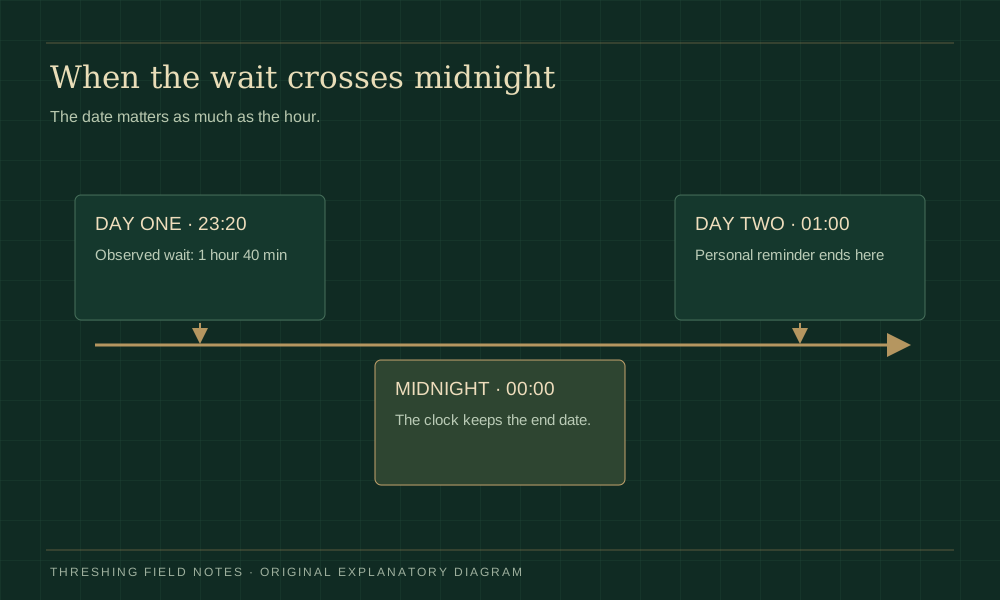
Choose “local return date and time” if you already know when you want to check. The browser interprets this input in your device’s local timezone. The tool displays that local end time alongside UTC so you can compare a single instant rather than two apparently different appointments. A past time, an impossible date or an incomplete entry produces a readable error instead of quietly starting a clock.
Saving a new value replaces the current personal reminder. Before saving, review the official screen again if you have been away for a while: entering its original full duration later would add time that has already passed. For a wait observed at 23:20 that has one hour forty minutes remaining, the personal deadline is 01:00 on the next date.
Keep the official game tab for actual play. Our Dragonkind entry guide links to the correct destination, while the access troubleshooting page handles email and loading symptoms that a clock cannot fix.
Refresh, close the tab or return after sleep
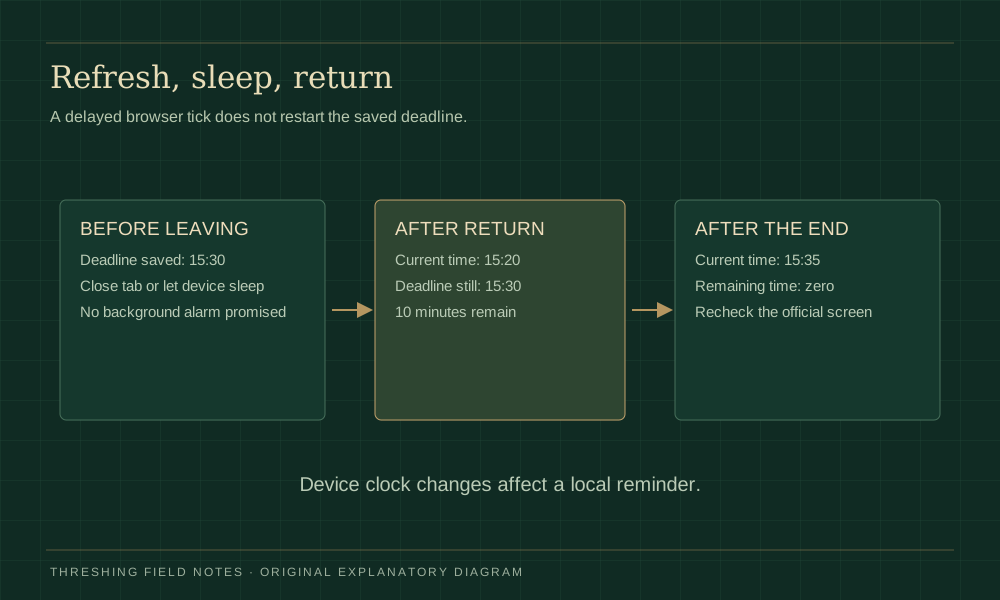
The Dragonkind retry timer uses this browser’s local storage when available. Refreshing restores the end timestamp instead of the original duration. You may close the tab and reopen this same page in the same browser profile, provided that browser has retained its local data. Another device, another profile or a private window does not automatically receive the reminder.
When the page becomes visible again, it recalculates immediately. A reminder ending at 15:30 shows ten minutes left at 15:20, even if the tab did not run a single tick while the device slept. At 15:35 it shows zero and asks you to check the official game. It never adds a new waiting period just because a tick was delayed.
This Dragonkind retry timer gives no background alarm or email. For an appointment reminder while your device sleeps, enter its displayed end instant in a reminder system you already trust.
A manually changed device clock can alter the apparent time left. Travelling between timezones changes the local label while the saved instant remains the same. Around daylight-saving changes, prefer the displayed end instant over assuming every local clock-hour is identical to a sixty-minute duration.
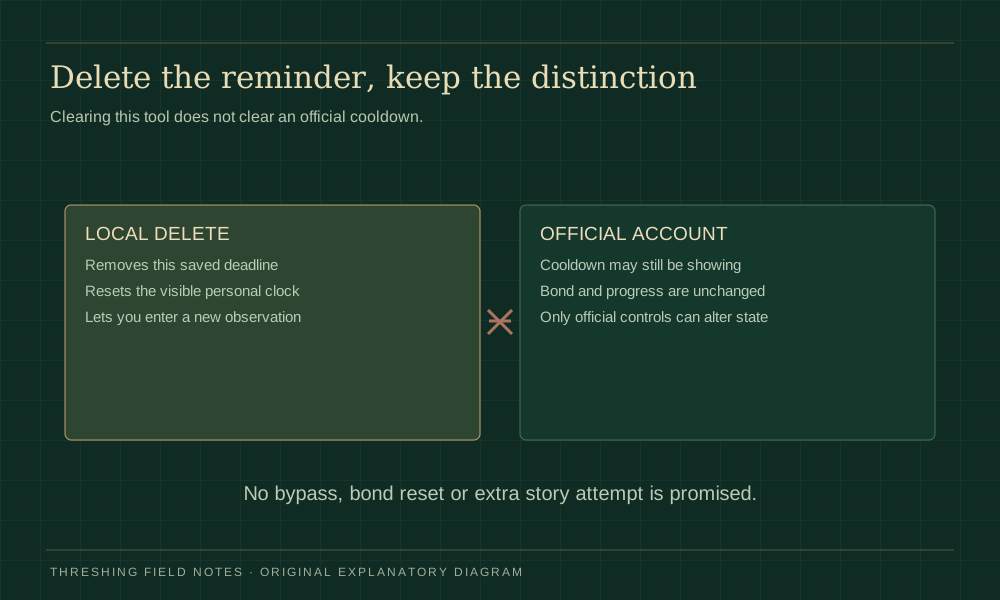
Edit or delete a Dragonkind retry timer
If your observed wait changes, enter the updated duration or local deadline and save again. The Dragonkind retry timer replaces only its own saved timestamp. “Delete personal reminder” clears this tool’s browser value and returns the display to its empty state. It neither logs you out of the official game nor changes anything in that account.
Do not interpret the delete control as a cooldown bypass. A failed story attempt, an email-code request and a bonded dragon are different states controlled by the official service. We have not verified an account reset or a feature that replaces an existing bond. A personal clock cannot create either capability.
If storage is blocked, the visible message explains that a reminder runs in the current tab only. Saving another observation still updates that tab, and deletion still clears the local display. Avoid clearing unrelated browser data just to reset this Dragonkind retry timer; its own delete control is sufficient for the reminder.
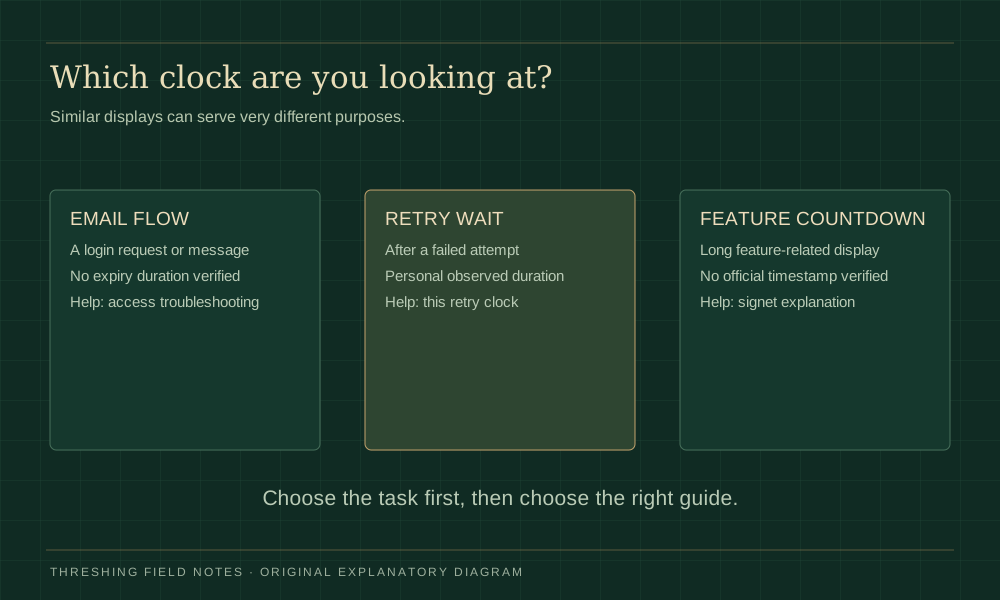
Retry wait, email flow and signet countdown
A Dragonkind retry timer is specifically a personal check-back aid for a story retry wait. A login message that has not arrived belongs to the email flow. Waiting longer on this page does not request a code or complete sign-in. Use the symptom chooser to check batched delivery, the chosen inbox and the visible error.
A long signet-related countdown is also separate. Our signet countdown page distinguishes community date claims from directly verified facts and lets you track your own observation. A guessed feature date should not be substituted into a retry clock, and a completed personal countdown should never be presented as official release confirmation.
Once the official screen permits another attempt, the scene-based answers guide can help you review attributed strategies and known counterexamples. Keep waiting evidence separate from story-choice evidence: a successful reminder is not proof of a successful route or a guaranteed bond.
Dragonkind retry timer questions
Is the Dragonkind retry timer connected to my account?
No. You enter an observation or a chosen return time. The tool has no official account connection and cannot confirm remaining cooldown. The official game decides whether another attempt is allowed; the local reminder only tells you when to check.
Will refresh restart the Dragonkind retry timer?
When local storage is available, refresh restores the saved end instant and recalculates remaining time. It does not add the original duration again. If storage is blocked or deleted, that browser cannot restore the reminder and the page explains the limitation.
The reminder ended but the official game still makes me wait. Why?
Your entry may differ from the official remaining duration, your device clock may have changed, or the official screen may have updated. Recheck that screen and replace the personal reminder with a current observation. An ended local clock never proves account eligibility.
Why is my Dragonkind retry timer not moving in the background?
Browsers may delay inactive-tab ticks. When you return, this page recalculates from the deadline rather than replaying missed ticks. No background alarm is promised. If the visible page still fails, check JavaScript and the device clock, then preserve your end time before reloading.
Does everyone have to wait exactly four hours?
The official FAQ we checked says several hours and does not publish a universal precise interval. Four hours appears in community observations. Enter the duration on your own official screen rather than assuming that someone else’s value applies to your account.